Invoicing & tax
VAT in your own currency on Shopify orders paid in another currency
· 3 min read
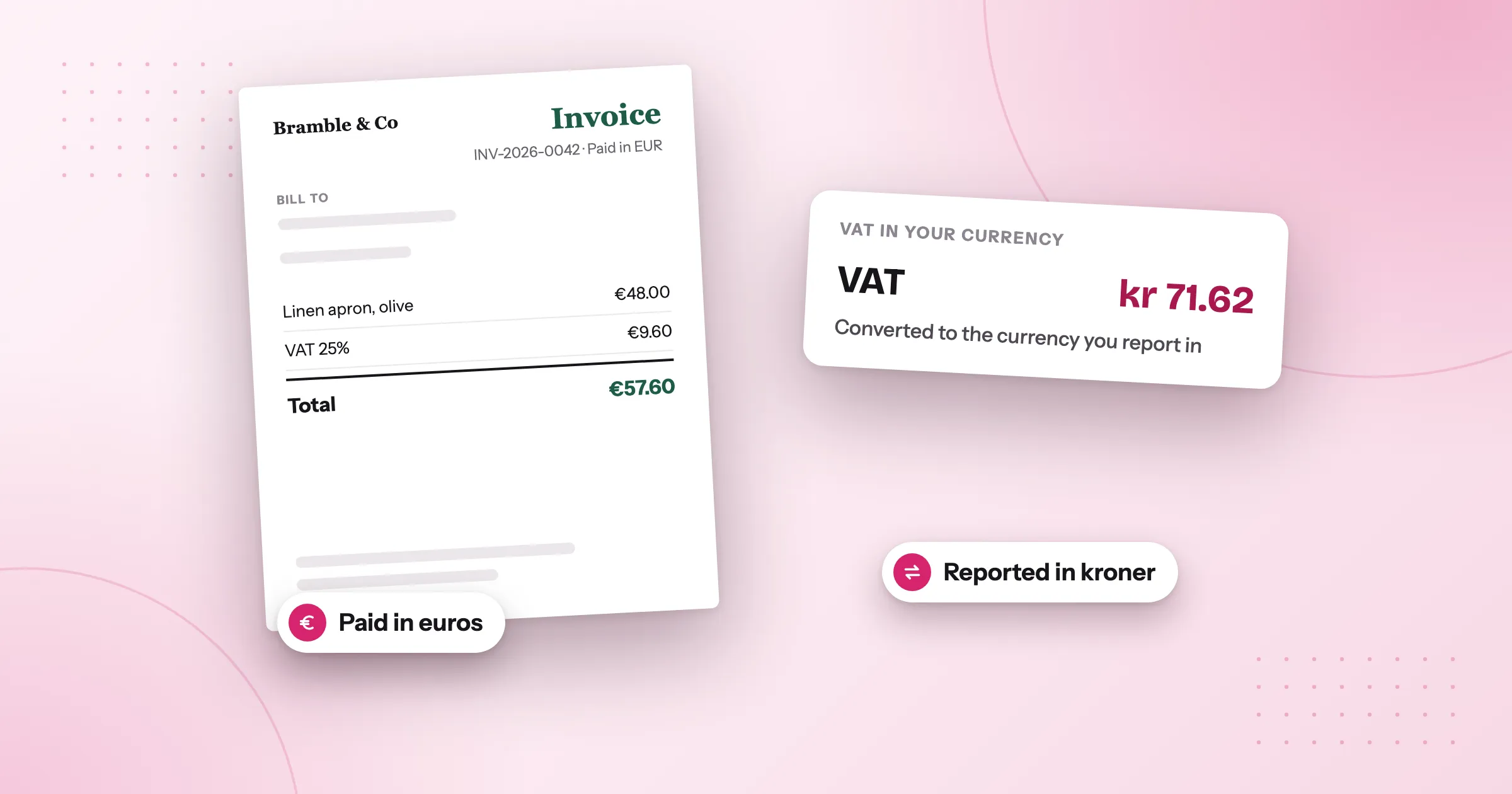
Your Shopify store sells in several currencies. A customer pays in euros, dollars or pounds, and the invoice is in that currency, but you report VAT in your own: złoty, kronor, koruna, or euros when the order was paid in something else. Your accountant asks why the invoice doesn’t show the VAT in your currency. The short answer: in the EU, an invoice in a foreign currency must also show its VAT in the national currency of the country where the VAT is due, and Foliant can add that line to your invoices, with the exchange rate it used.
This is general information, not legal or tax advice.
The rule in plain words
- You can invoice in any currency, including the one your customer paid in.
- The VAT must also be shown in the national currency when the invoice is in another currency. That’s the figure that goes into your VAT return.
- Use an accepted exchange rate for the date the VAT is due. The European Central Bank’s reference rate is accepted across the EU. Some countries expect their own central bank’s rate: Poland, for example, uses the NBP rate of the business day before.
- Show the rate. Printing the rate and its date on the invoice makes the conversion easy to check later.
Which country’s currency? Usually your home country’s. If you’re registered for VAT in the country the order ships to and the VAT is due there, it’s that country’s currency. Sales to consumers you declare under OSS follow your home country’s rules.
The details vary by country. Check with your accountant what yours requires.
Some examples
| Your store | Customer paid in | VAT also shown in |
|---|---|---|
| Poland | EUR | PLN |
| Sweden | EUR | SEK |
| Germany | USD | EUR |
| France | EUR | Nothing extra: it’s already the national currency |
How Foliant does it
Foliant works out where the VAT is due for each order, converts the VAT at the rate you chose for that country, and prints it on the invoice with the rate and its date.
- In Foliant, go to Settings › Tax & legal and add a VAT number for each EU country you’re registered in, so Foliant knows where you’re registered.
- In VAT in national currency, each registration shows as its country and currency, such as “Poland (PLN)”. Choose a rate for each, then save.
- Open the invoice for an order paid in another currency. Foliant’s built-in invoice template shows the converted VAT with the VAT breakdown. In your own Liquid template, use
vat_reporting.
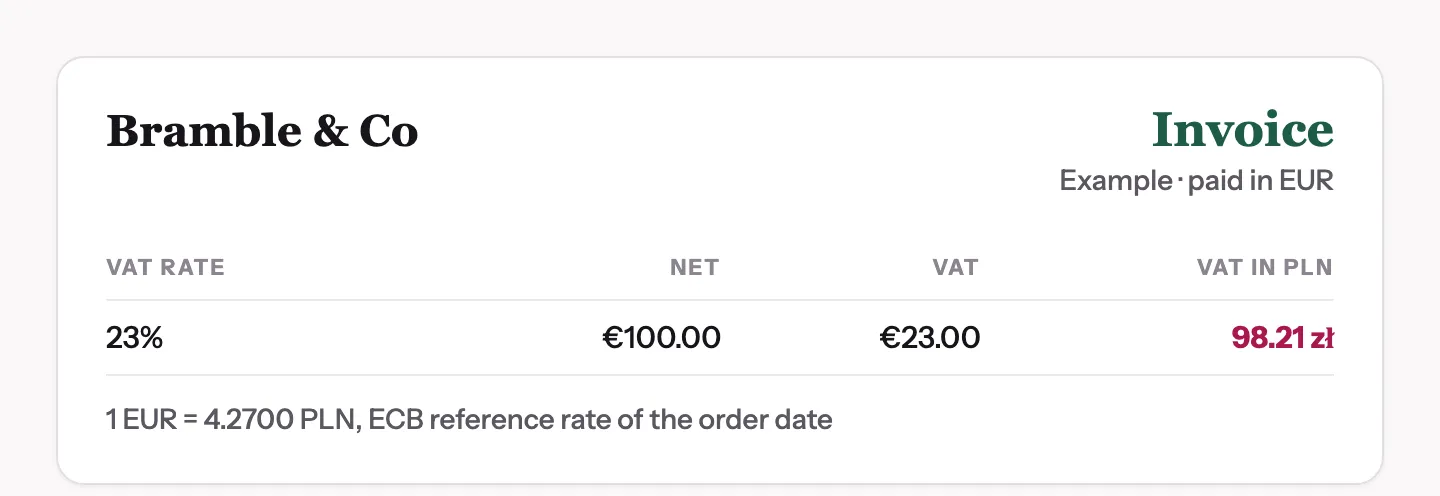
For example, a Polish store that chose the ECB reference rate gets this on an invoice paid in euros:
Which rate to choose
| Rate | Choose it when |
|---|---|
| ECB reference rate | You want a rate accepted in every EU country. It’s the default everywhere except Poland. |
| National bank rate (NBP) | Your registration is in Poland. It’s only offered there, and it’s the default there. |
| Shopify’s conversion | You want the figure to match the amount Shopify converted to your store currency. It’s indicative, not an official rate, so ask your accountant first. Only offered when the registration’s currency is your store currency. |
Good to know
- Your plan: VAT in national currency is part of the tax compliance toolkit, which depends on your plan. See pricing.
- EU stores: the VAT in national currency section appears when your store is in the EU or you’ve added an EU VAT number, and invoices show the converted VAT only when your store itself is in the EU.
- When nothing is added: an invoice already in the national currency, an invoice with no VAT, or a date with no rate available shows no converted VAT.
- Credit notes match their invoice: a credit note uses the same rate as the invoice it corrects, so the amounts cancel out in your VAT return.
- The order’s date: the rate is the one for the order’s date, in your store’s time zone.
The full steps and the Liquid variables are in the help centre: Show VAT in national currency.
Questions
Can I issue an EU invoice in a foreign currency?
Yes, you can invoice in any currency, including the one your customer paid in. When the invoice is in another currency, the VAT must also be shown in the national currency of the country where the VAT is due.
Which exchange rate should I use for VAT on a foreign-currency invoice?
An accepted rate for the date the VAT is due. The European Central Bank's reference rate is accepted across the EU, and some countries expect their own central bank's rate: Poland, for example, uses the NBP rate. Check with your accountant what yours requires.
How does Foliant show VAT in my national currency?
Add a VAT number for each EU country you're registered in under Settings › Tax & legal, then choose a rate for each in VAT in national currency. Foliant's built-in invoice template shows the converted VAT with the VAT breakdown, with the rate and its date.
Does a credit note use the same exchange rate as its invoice?
Yes. A credit note uses the same rate as the invoice it corrects, so the amounts cancel out in your VAT return.
Try Foliant free on your store.
Find it on the Shopify App Store